What Is a CRM Database?
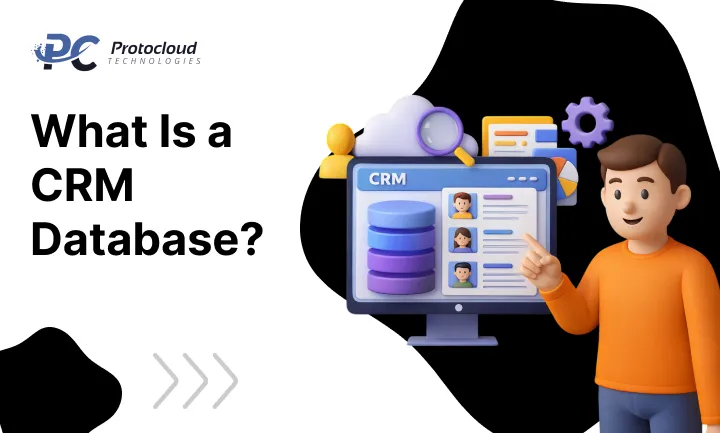
A CRM database is a tool that helps businesses store and manage customer information in one place. In simple words, it is software that keeps all customer details organised. This includes contact information, purchase history, communication records, service requests, and preferences.
So if someone asks what is a CRM database, the answer is simple. It is a system that helps businesses track and manage customer relationships.
The CRM database’s meaning is also easy to understand. It works like a central hub where all customer data lives. Instead of using different files, emails, or spreadsheets, everything stays in one system. This is why many companies use a CRM system for businesses today. It helps teams see the full history of every customer. Sales teams can see past purchases. Support teams can check service requests. Marketing teams can study customer interests.
A customer relationship management database also improves communication inside a company. Every department can see the same customer data. This makes work faster, smoother, and more organised.
Today, many tools, like a Salesforce CRM database, help companies do more than just store data. They also provide useful insights about customers. These insights help businesses grow.
How CRM Database Software Helps Businesses
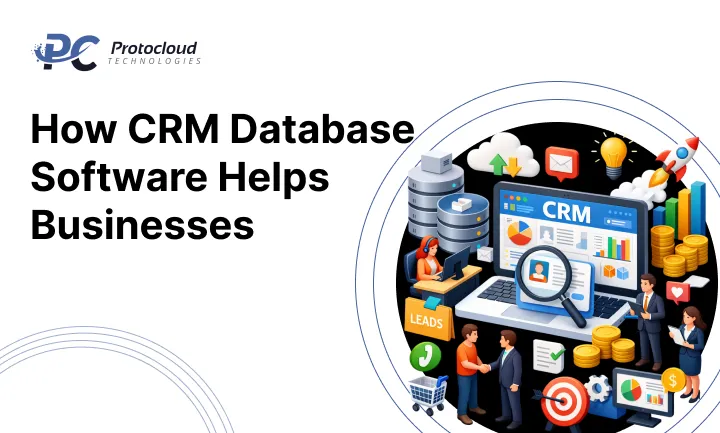
Modern CRM database software does more than save customer data.
It helps businesses understand customers better.
For example, a CRM data management system can track how customers interact with a business. It records emails, calls, website visits, and purchases.This information improves CRM customer data management.
When businesses study this data, they gain valuable CRM customer insights. They learn what customers like, what they buy, and how often they return. This helps companies create better marketing campaigns.
Many businesses also use CRM software for small businesses because it helps them manage customers without complex systems. Larger organisations often use advanced CRM software to manage thousands of customers.
The biggest benefit is that a CRM platform for organisations keeps everything in one place. This creates CRM unified customer data, which helps every team work better together.
The Role of Data in a CRM System
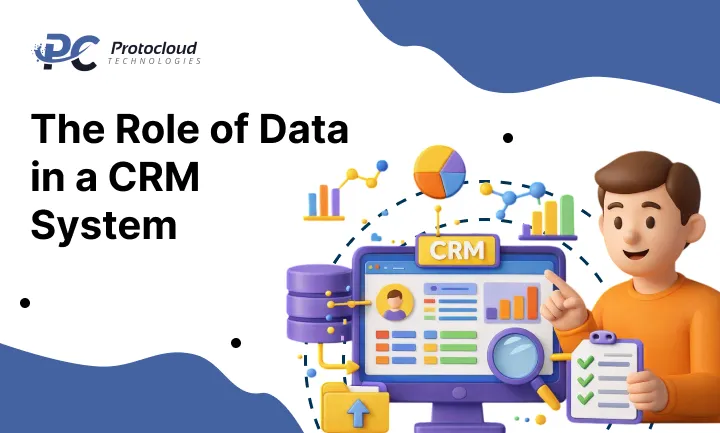
Data is the most important part of any CRM database. When businesses collect customer data, they can improve communication and services. They can send offers that match customer interests. This is where CRM data analysis becomes useful.
By analysing data, companies understand customer behaviour. This is known as CRM customer behaviour analysis. These insights help businesses create better CRM for personalised marketing strategies.
Data also improves sales performance.
For example, a CRM data tracking system monitors leads and sales opportunities. Sales teams can track every deal through CRM sales pipeline management. This makes it easier to predict future sales.
Customer support teams also benefit. With CRM customer service management, they can see a customer’s full history before helping them. This improves CRM customer experience management and builds stronger relationships.
In many cases, data can even show signs that a customer may stop buying. Businesses can then take action to improve CRM customer retention.
How Businesses Use CRM Data
Companies use a CRM database in several ways to improve business performance. Below are some common uses.
1. CRM Data Segmentation
Businesses divide customers into groups. This process is called CRM data segmentation.
For example, customers may be grouped based on age, location, buying habits, or interests. This helps businesses target the right audience. It also supports CRM for customer segmentation strategies.
When marketing messages reach the right people, results improve.
2. Lead Tracking and Sales Management
A CRM lead management system helps businesses track leads from the first contact to the final sale.
It also helps manage the full CRM sales pipeline management process. Sales teams can follow every opportunity and identify upsell or cross-sell opportunities. This makes CRM one of the most useful CRM tools for business growth.
3. Data Insights and Business Decisions
Through CRM data analysis, companies discover trends in customer behaviour. These CRM customer insights help businesses make smarter decisions. For example, they can identify popular products or improve services.
This makes CRM a powerful tool for marketing success.
Why Your Business Needs a CRM Database
Without a CRM database, customer information often becomes messy and scattered. Data may sit in emails, spreadsheets, notebooks, or different software tools. This makes it difficult to understand customers or track leads.
A CRM system for businesses solves this problem. It organises customer data in one place. This improves sales, marketing, and customer support.
For example, businesses can use CRM for lead generation to capture new prospects. Then they can build relationships through CRM lead nurturing. This process helps convert leads into paying customers.
CRM systems also improve CRM for sales and marketing collaboration. Both teams work with the same data and align their strategies. This creates better CRM sales and marketing alignment.
Another advantage is automation. Many companies use CRM marketing automation to send emails, promotions, and follow-ups automatically. This saves time and increases efficiency.
Major Benefits of CRM Database
There are many benefits of CRM database systems for businesses. Here are some important CRM database benefits:
- Customer Segmentation: Businesses can group customers using CRM data segmentation and create targeted offers.
- Personalised Marketing: Companies use CRM for personalised marketing to send relevant messages to customers.
- Better Customer Retention: CRM tools help improve CRM customer retention by maintaining strong relationships.
- Improved Customer Insights: With CRM customer insights, businesses understand what customers want.
- Marketing Automation: CRM marketing campaigns automation helps send automated emails and promotions.
- Sales and Marketing Alignment: Shared data improves CRM sales and marketing alignment.
- Better Customer Service: CRM customer service management allows teams to access customer history quickly.
- Performance Tracking: Businesses use CRM performance tracking to measure campaign results and sales growth.
- Unified Data: A CRM unified customer data system stores all customer interactions in one place.
These features make CRM one of the most important CRM business growth tools for modern companies.
Types of CRM Databases
Businesses use different types of CRM databases to manage customers and data. Each system has a different purpose. Some focus on analysing data. Others help automate daily work or improve team communication.
These CRM database types help businesses organise customer information and improve relationships. When companies understand these customer relationship management database types, it becomes easier to choose the right system.
Most CRM system types for businesses fall into three main categories:
- Analytical CRM
- Operational CRM
- Collaborative CRM
These three CRM database software types work together to help businesses understand customers, improve service, and grow sales.
Analytical CRM
Analytical CRM focuses on studying customer data. The goal is simple. Understand customers better and make smarter decisions. Most analytical CRM systems use powerful CRM data analysis tools to study customer behaviour. These tools help businesses see patterns in customer purchases, interactions, and interests.
An analytical CRM database often uses CRM data mining tools. These tools scan large amounts of data and find useful trends. Some systems also use CRM pattern recognition CRM technology. This helps businesses predict customer actions.
With the help of CRM customer insights tools, companies learn what customers like, what they buy, and how they interact with a brand.
These insights help marketing teams create better campaigns and improve customer satisfaction.
Operational CRM
Operational CRM focuses on daily business activities. It helps companies manage sales, marketing, and customer service more efficiently. Most operational CRM systems include advanced CRM automation systems. These systems reduce manual work and save time.
For example, CRM sales automation helps sales teams track leads and follow deals. It keeps the entire sales pipeline organised. Marketing teams benefit from CRM marketing automation systems. These tools automate emails, campaigns, and promotions.
Customer service teams use CRM service automation tools to manage support requests and respond faster. An operational CRM database also supports CRM lead generation tools and CRM lead nurturing systems. These tools help businesses attract new customers and build long-term relationships.
Because of these benefits, operational CRM systems are widely used by businesses of all sizes.
Collaborative CRM
Collaborative CRM focuses on teamwork and communication. Its main goal is to improve how teams share customer information. Most collaborative CRM systems include strong CRM collaboration tools. These tools allow sales, marketing, and support teams to work together.
A collaborative CRM database helps teams share customer updates quickly. This improves service and avoids confusion. Many systems also include modern CRM communication tools.
For example, some platforms support CRM integration with email and CRM social media integration. This allows teams to track customer conversations across different channels.
Because of these features, collaborative CRM systems improve CRM team communication systems and create consistent customer experiences.
CRM Data Migration: 5 Simple Steps
When businesses start using a CRM, they must move data from old systems into the new one. This process is called the CRM data migration process. Proper CRM database data migration ensures that important customer information stays accurate and complete.
Businesses usually follow structured CRM migration steps to move data safely. Below are five important CRM database implementation steps.
1. Define the Project Scope
The first step in the CRM data migration process is defining the project scope. Businesses must decide which data will move to the new CRM system. They must also identify the source systems and the target CRM platform.
Clear goals help maintain CRM data accuracy checks and CRM data consistency management.
2. Identify Source Systems
The next step is identifying where the data currently exists. This may include spreadsheets, old CRM software, customer support tools, or e-commerce platforms.
During this stage, companies perform a CRM data extraction process to collect the required information. This data may include customer contact details, purchase history, and support interactions.
3. Design the CRM Structure
Next comes CRM database schema design. A schema defines how data will be stored in the CRM system. It includes tables, fields, and relationships.
Businesses also create a CRM data model design. This defines the format and type of each data element. A well-designed structure ensures smooth data management.
4. Extract, Transform and Load Data
After the design is ready, businesses begin the CRM ETL process CRM. ETL stands for Extract, Transform, and Load. This stage includes:
- CRM data extraction process from source systems
- CRM data transformation process to match the new system
- CRM data loading process into the CRM database
During transformation, businesses may perform:
- CRM data cleansing process
- CRM data conversion CRM
- CRM data enrichment tools
These steps prepare the data for the new system.
5. Test and Validate the Data
The final step is the CRM database testing process. Businesses must check whether the data moved correctly. They verify accuracy, completeness, and consistency.
Teams perform the CRM data validation process and CRM data integrity checks to find errors. Regular monitoring also supports strong CRM data quality management.
Following proper CRM data management best practices helps maintain data accuracy in the long term.
How to Optimise Your CRM Data for Better Results
Does your CRM feel like a cluttered closet? If you can’t find what you need, you can’t use it. CRM data optimisation is the secret to making your sales and marketing move faster. When you focus on CRM data accuracy, your team stops guessing and starts closing. High-quality data ensures CRM data usability so that every insight is actionable.
Smart Strategies for CRM Data Management
The first step in how to optimise CRM data is to stop the noise. CRM duplicate data removal is a quick win for any business. Duplicate records confuse and waste expensive storage space. You should perform CRM duplicate records management at least once a month. Use CRM data cleansing tools to automate this process. It keeps your database lean and professional.
Next, think about CRM data enrichment. You can boost your internal records by using CRM data integration sources. Try connecting your system with CRM social media data integration or CRM loyalty program data integration. Adding CRM website analytics integration gives you a 360-degree view of your buyers. This makes your CRM customer data management much more powerful.
Focus on Consistency and Quality
Data only works if it is uniform. You must prioritise CRM data standardisation across all entries. This means enforcing CRM data format standardisation for every user. Make sure you have a strict CRM date format standardisation rule. Don’t forget about CRM currency format standardisation and CRM measurement unit standardisation. When your formats match, your reports will finally make sense.
To keep things running smoothly, implement CRM data governance. Strong CRM data governance policies protect your information. You need clear CRM data governance procedures to handle growth. This includes CRM data ownership management and CRM data access control. Always prioritise CRM data security management to keep customer trust high.
Training and Maintenance
Your tools are only as good as the people using them. Invest in CRM data quality training for your entire staff. Regular CRM team data training prevents messy entries before they happen. Teach your employees CRM data entry best practices. When everyone values CRM data quality improvement, the whole company wins.
You must also commit to CRM data maintenance. Schedule CRM data cleaning sessions to fix CRM data correction issues. Use CRM outdated data removal to get rid of old leads. This protects your CRM data integrity management and keeps your CRM database optimisation on track.
Real-World CRM Examples
When a customer talks to you, they leave a trail. You can use CRM customer interaction tracking to follow that trail. This data helps you build better CRM customer engagement strategies. Here are a few ways to use these CRM data optimisation strategies in the real world:
- Social Media: Use CRM social media CRM tracking to see what users like. CRM social media interaction tracking helps you spot trends. If someone complains, use CRM social media complaint management to fix it fast. Record this in their CRM customer profile management page.
- Contact Forms: Use the CRM contact form and CRM integration to capture leads instantly. CRM contact form data storage ensures no one falls through the cracks. This creates a better CRM customer service CRM integration.
- Email Marketing: Use CRM email marketing and CRM integration to see who is reading. CRM email tracking tools show you CRM email open tracking and CRM email click tracking. This leads to CRM personalised email marketing CRM.
By following these steps, you will master CRM customer behaviour tracking. You can use CRM marketing optimisation tools to grow your reach. Ultimately, this leads to total CRM customer experience optimisation.
We focus on delivering CRM platforms that offer real-time insights, automation, and seamless integration with your existing systems. This allows your sales, marketing, and support teams to work together efficiently and provide a better customer experience.
Choosing Protocloud Technologies means choosing a technology partner that helps you turn customer data into business success
Frequently Asked Questions
What type of information is stored in a CRM database?
A CRM database stores important details about your customers in one place. This usually includes contact information, past interactions, purchase history, and personal preferences. Businesses use this data to understand customers better, improve relationships, and run more effective marketing and sales activities.
Will a CRM database help me organize my customer data better?
Yes, it will. A CRM database is built to organize and manage customer data efficiently. It keeps all customer information in one system, making it easy to find, update, and use whenever needed. This helps businesses work faster and provide better customer service.