Introduction
Honestly, a year ago most people thought generative AI was just ChatGPT writing mediocre essays. Now it’s helping doctors draft reports, letting small businesses run customer support around the clock, and giving developers a coding co-pilot that never sleeps.
Things moved fast. And if you haven’t figured out where generative AI fits into your work yet, this is the guide to start with. No jargon overload, no hype. Just a clear look at what it is, where it works, and how to actually put it to use.
What Even Is Generative AI?
The easiest way to understand this is to look at it like this. Traditional AI analyzes things. Generative AI creates things.
Feed it patterns from millions of documents, images, or lines of code, and it learns to generate new content that looks and feels like the real thing. Text, images, video, audio, code it can produce all of it.
Generative AI tools you’ve probably already heard of include ChatGPT and Claude for text, Midjourney and DALL·E for images, GitHub Copilot for code, and ElevenLabs for voice synthesis.
What makes this different from older AI isn’t just the output. It’s the scale. These systems can create in seconds what used to take hours. That alone changes how teams work.
Where Is It Actually Being Used?
Let’s get into the real stuff. These aren’t theoretical use cases. Businesses are doing this right now.
Content Creation at Scale
Blog posts, email campaigns, product descriptions, social media copy. Ai app tools are handling a massive chunk of this work today. A marketing team that used to produce 10 articles a month can now produce 40, reviewing and refining AI drafts rather than writing from zero.
That’s not laziness. That’s leverage.
Customer Support That Doesn’t Sleep
This is one of the biggest wins for artificial intelligence in business. AI chatbots trained on your product docs and FAQs can handle 70 to 80 percent of common questions instantly, any time of day. Human agents get freed up for the complex stuff that actually needs a real person on the other end.
Software Development
Developers are using gen AI tools to write boilerplate code, debug errors, generate documentation, and even suggest architecture. GitHub Copilot alone reportedly cuts certain coding tasks by 55 percent. That’s not a small number when you multiply it across an entire engineering team.
Design and Creative Work
AI video generation platforms are helping marketers create short video clips without studios or big production budgets. Designers use AI to generate initial mockups or explore ten variations in the time it used to take to make one. It’s not replacing creative work. It’s removing the boring parts of it.
Personalized Marketing
Think about receiving an email that actually feels like it was written for you. Best ai application examples in marketing include tools that dynamically adjust email content, product recommendations, and even website headlines based on who’s looking at them. The personalization happens automatically, at scale.
Industry by Industry Breakdown
Artificial intelligence applications show up across almost every sector. Here’s a quick look at where things stand.
In healthcare, AI is being used for medical report drafting, summarizing patient histories, and even early drug discovery research. It doesn’t replace doctors but cuts down on administrative drag significantly.
In finance, teams are using it for automated report generation, fraud detection narratives, and risk summaries. Analysts spend more time on decisions and less time on formatting.
In e-commerce, artificial intelligence in retail is especially mature. Product description generation, visual search, and customer engagement chatbots are all live and running in major stores. AI is personalizing the entire shopping experience, from the homepage to the checkout email.
In education, artificial intelligence applications in education are changing how personalized learning works at scale. AI tutors adapt explanations to the student’s level. Grading for structured assignments gets automated. Study material gets generated on demand.
In engineering, applications of AI in engineering are helping teams catch problems before they become expensive. Predictive maintenance, design optimization, and simulation tools are saving time and reducing costly errors.
Types of Solutions Businesses Are Choosing
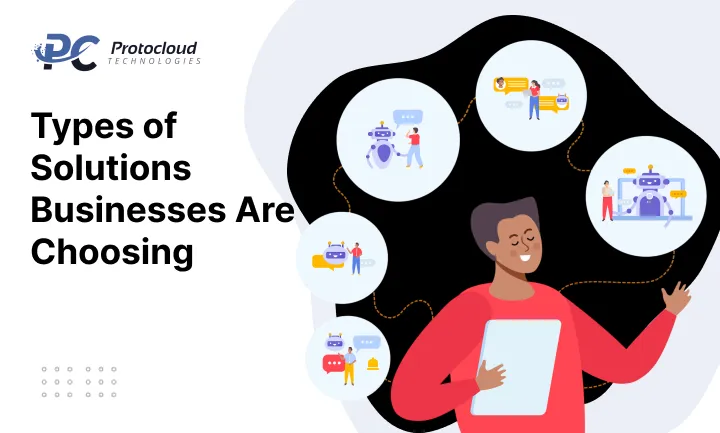
There’s no single right way to adopt generative AI. It all comes down to your current situation and your needs. SaaS tools are ready to go with minimal setup, usually on a subscription basis. They’re great if you want to start experimenting without a big IT investment. Think Jasper for content or Intercom’s AI features for support.
API integration means connecting to a model like Claude or GPT-4 and building AI into your existing product or workflow. It’s more flexible but requires some technical know-how on your team’s side.
Custom models are fine-tuned on your own data. They deliver higher accuracy for niche tasks but are expensive and time-consuming to build. They usually make sense only at scale when off-the-shelf tools just don’t cut it anymore.
Most businesses start with SaaS, graduate to API integration, and only consider custom models when they have a very specific need that nothing pre-built can meet.
How to Use Generative AI in Business Step by Step
Okay, let’s get practical. How to use generative AI in business isn’t complicated, but jumping in without a plan wastes time and money.
Step one is to pick one problem to solve. Don’t try to transform everything at once. Is it content? Customer support? Internal documentation? Pick the area where you’re most stretched and start there.
Step two is to choose the right tool. For content, something like Claude or ChatGPT works well. For code, GitHub Copilot. For images, Midjourney. Match the tool to the task, not the other way around.
Step three is to clean your data. If you’re using AI with internal data like documents, customer records, or product info, the quality of your input determines the quality of your output. Garbage in, garbage out. It’s that simple.
Step four is to integrate it into your workflow. The goal isn’t to use AI separately. It’s to make it part of how work actually gets done. That might mean an API integration, a browser plugin, or just a shared prompt library your team refers to daily.
Step five is to test, review, and refine. AI output isn’t always right. Build in a review step, especially early on. Track what’s working and what isn’t, and adjust accordingly.
Step six is to scale what works. Once you’ve proven value in one area, expand. Document what you learned so the next rollout inside your organization is faster and smoother.
Real Benefits — Not the Buzzword Version
People talk about AI like it prints money. Here’s what it actually does well.
It cuts down time on repetitive, formulaic tasks. It enables smaller teams to produce more output. It makes personalization economically possible at scale. It speeds up first drafts, prototypes, and ideation. And it reduces the cost per unit of content, code, or customer communication.
Is it magic? No. But for ai tools for content creation and similar use cases, the time savings are genuinely significant. When you stack those savings across a whole team over a year, the number gets hard to ignore.
The Honest Challenges
Let’s not pretend this is all smooth sailing.
Accuracy is a real issue. These models can confidently make things up. It’s called hallucination and it happens more than people expect. Always review AI output, especially for anything factual, legal, or medical.
Data privacy matters a lot. If you’re feeding sensitive customer or company data into an AI tool, understand where that data goes. Read the terms carefully. Use enterprise tiers with proper privacy guarantees when stakes are high.
Bias is something to watch. AI learns from human-generated data, and humans have biases. The output can reflect that, sometimes in subtle ways. Stay aware of it, especially in hiring, lending, or healthcare contexts.
Over-reliance is a real trap. The goal is augmentation, not full replacement. Teams that stop thinking critically and just accept AI output tend to produce mediocre work. Computer vision and AI systems, while powerful, also carry risks of misidentification in sensitive deployments. Use them with human oversight in place.
Where This Is All Going
Generative ai use cases in marketing, healthcare, education, and software will keep expanding. The next wave looks like AI agents handling multi-step tasks autonomously, multimodal systems moving fluidly between text, image, and video, more specialized models fine-tuned for specific industries, and better tools for governing how AI gets used inside organizations.
The honest truth? We’re in the early innings. The companies figuring this out now will have a real advantage in a few years. Not because the technology is hard to access, but because they’ll have built the processes, the muscle memory, and the institutional knowledge to use it well. That stuff takes time to develop, and there’s no shortcut.
The Bottom Line on Generative AI
Here’s the truth. Generative AI isn’t coming. It’s already here, already reshaping how businesses create, communicate, and compete.
And the gap between companies using it well and companies ignoring it is only going to widen.
But here’s what I want you to take away from all of this. You don’t need a massive budget or a team of data scientists to get started. The best ai application for your business right now is probably the simplest one the tool that solves your most annoying, time-consuming problem today.
Start there. One use case. One tool. See what it does for your team in 30 days.
Artificial intelligence applications are no longer reserved for tech giants. A solo founder, a five-person marketing team, a mid-sized e-commerce brand they’re all using these tools right now to punch above their weight.
The question isn’t whether generative AI belongs in your business. It does. The question is how fast you want to move.
So pick your problem, find your tool, and start. The learning curve is shorter than you think, and the upside is bigger than most people expect.
FAQ’S
Q1. What is generative AI in simple terms?
Generative AI is a type of artificial intelligence that creates new content like text, images, code, or video by learning patterns from existing data. Unlike traditional AI that only analyzes information, generative AI actually produces something new from it.
Q2. How is generative AI different from regular AI?
Regular AI is built to analyze, classify, or predict. Generative AI goes a step further it creates. Think of regular AI as a reader and generative AI as a writer. One processes information, the other produces it.
Q3. Is generative AI safe to use for business?
Yes, when used responsibly. The key is to review AI output before publishing or acting on it, avoid feeding sensitive data into tools without reading their privacy terms, and keep humans in the loop for any critical decisions. It’s a powerful tool, not an unsupervised employee.
Q4. What are the most common generative AI use cases for small businesses?
The most practical ones are content creation, customer support chatbots, email writing, social media posts, and basic image generation. These don’t require big budgets or technical teams most small businesses can start with a simple SaaS tool today.
Q5. How do I get started with generative AI in my business?
Start small. Pick one problem you want to solve, choose a tool that fits that specific need, test it for 30 days, and measure the results. Don’t try to overhaul everything at once. One use case done well is worth more than ten half-done experiments.