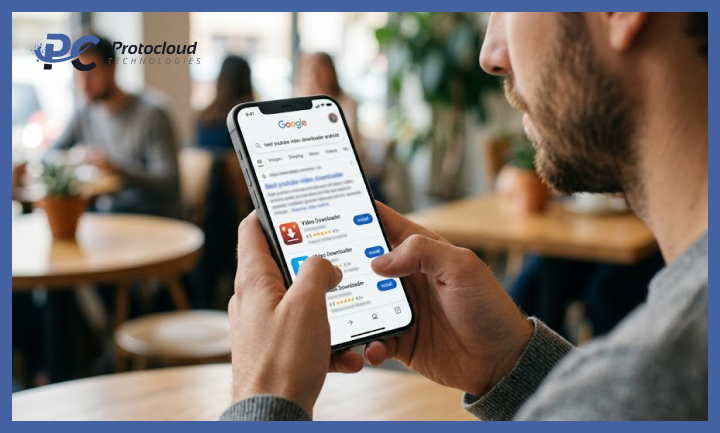
Video content is a significant part of how developers learn, research, and stay current in 2026. YouTube alone hosts millions of technical tutorials, conference talks, code walkthroughs, and product demonstrations. The problem is that streaming video while working is not always practical. Poor conference Wi-Fi, long flights, offline development environments, or simply the need to save bandwidth all create situations where having videos downloaded locally is more useful than streaming them. This guide covers the best vidmate apk and other video downloader tools available for Android developers and technically proficient users in 2026, with a focus on what actually works and why.
What to Look for in a Video Downloader Tool in 2026
YouTube has made consistent backend changes over the past two years that have broken or degraded many older downloader tools. In 2026, the tools worth using are those that update frequently enough to stay compatible, support multiple platforms beyond YouTube, deliver actual video files rather than platform-locked encrypted packages, and run reliably on modern Android versions including Android 15 and 16.
For developers specifically, a few additional criteria matter. Command-line tools with scriptable interfaces are more useful than GUI-only applications for batch operations. Tools that expose format and codec options rather than hiding them are preferable for users who care about the output file. And tools distributed through verifiable open-source channels are easier to audit and trust than closed binaries from unknown sources.
01. yt-dlp: The Developer Standard
yt-dlp is the most capable and actively maintained video downloader available in 2026, and it is the tool most technically sophisticated users reach for. It is a fork of the original youtube-dl project and has significantly outpaced it in update frequency, compatibility, and feature depth.
It runs from the command line and supports thousands of platforms beyond YouTube. You can specify output format, codec, quality, subtitle language, and file naming templates with fine-grained control. Batch downloading from a text file of URLs is built in. It handles rate limiting, authentication when required, and playlist extraction automatically.
yt-dlp is installable on Android through Termux, the Android terminal emulator. Run pkg install python and then pip install yt-dlp to get it working. For developers already comfortable with a terminal, this is the most powerful option available on any platform. It is free, open source, available on GitHub, and updated frequently.
02. VidMateLite
For developers who want a GUI-based Android app that handles daily downloads without requiring a terminal, VidMate Lite is the most practical option in 2026. The youtube video download app page on the official website gives direct access to the latest APK. The app supports over a thousand platforms, offers downloads from 144p up to 1080p, extracts audio as MP3, handles background downloads, and runs without ads.
Its lightweight design makes it well-suited for older or budget Android devices used as secondary test phones. The absence of a built-in browser reduces the app’s footprint and keeps resource usage low. For straightforward video downloads on Android without touching a terminal, it covers the vast majority of use cases technical users will encounter.
03. NewPipe
NewPipe is the open-source YouTube client that most privacy-conscious developers gravitate toward. It supports watching and downloading YouTube videos without any Google services, Google account, or tracking. Background playback is available for free, unlike YouTube where it requires Premium.
The app is particularly useful for conference talks and long-form technical content where you want background audio playback while continuing to work. Download the audio track as M4A and listen in any media player without the video overhead. NewPipe is available through F-Droid and GitHub. It targets Android and is actively maintained by an open-source community.
04. 4K Video Downloader Plus
For desktop environments, 4K Video Downloader Plus remains the most reliable GUI tool for YouTube in 2026. It handles individual videos, full playlists, entire channels, and subtitle files. Quality options go up to 8K. It runs on Windows, macOS, and Linux.
For developers who want to maintain a local library of technical talks, course content, or conference recordings, the subscription channel feature available in the paid Plus tier automatically downloads new videos from specified channels. The free tier handles individual and playlist downloads without any limit on the number of videos.
05. FFmpegwith yt-dlp
The most flexible setup for developers who need precise control over video processing is yt-dlp combined with FFmpeg. yt-dlp handles the downloading and format selection. FFmpeg handles any post-processing, including format conversion, audio extraction, trimming, resolution scaling, and subtitle embedding.
This combination runs on any platform including Android via Termux. A typical workflow looks like: yt-dlp downloads the best available format, FFmpeg converts it to a specific codec and container if needed, and the output file lands in a specified directory. For batch operations or integration into development workflows, this combination is unmatched in flexibility.
Android-Specific Considerations in 2026
Android 15 and 16 introduced stricter Scoped Storage rules that affect how downloader apps request file system permissions. Apps in 2026 now require specific folder permissions rather than broad access to the media library. Well-maintained apps like VidMate Lite and NewPipe have updated to comply with these requirements. Older or unmaintained apps may have broken storage functionality on the latest Android versions.
Google’s 2026 developer verification requirements for sideloaded apps also affect which APKs can be installed cleanly on certified Android devices. Apps from developers who have completed Google’s verification process are not affected. Apps from anonymous or unverifiable sources may generate additional warnings or be blocked. For the tools listed here, the established ones with clear developer identities and official distribution channels are not affected by this policy.
Final Recommendation by Use Case
For maximum control and scriptability on Android or desktop: yt-dlp. For a lightweight GUI app on Android with no terminal required: VidMate Lite. For YouTube without Google services and free background playback: NewPipe. For a desktop tool with channel subscription and playlist management: 4K Video Downloader Plus. For full post-processing control: yt-dlp combined with FFmpeg.
All the tools listed here are free, actively maintained in 2026, and produce real video or audio files that play in any media application. The right choice depends on how often you download, whether you prefer a GUI or command line, and how much control you want over the output format.