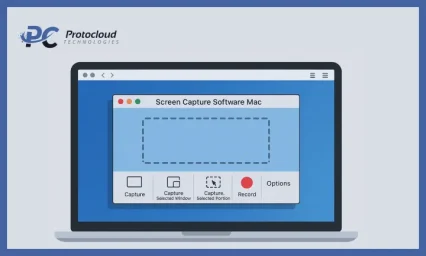
Choosing screen recording software might seem like a small decision. After all, it is just to record the screen. In fact, the tool you choose can seriously affect how fast you work, how polished your output looks, and how much effort it takes to get there.
Are you creating tutorials, recording webinars, documenting bugs, onboarding new hires, or producing marketing content? It does not matter. The right screen recorder can save you hours. A bad program can slow you down, cause frustration, and lead to poor results. So, how do you find screen recording software for business that actually fits your workflow instead of fighting it?
Why the Right Screen Capturing Software Matters

Screen recording is not just about capturing visuals. It is about how smoothly the screen capture tool fits into what you already do. A good screen recorder:
-
Starts fast when you need it
-
Does not distract you while recording
-
Produces usable output without heavy editing
-
Matches your skill level and goals
A poor fit leads to re-recordings, messy audio, large file sizes, and wasted time tweaking settings. Over time, that directly impacts productivity, results, and even your social media presence.
Start With the Purpose
The first mistake many people make is choosing software based on features instead of use cases. Before comparing tools, be clear on why you need screen recording software.
Training and Education
If you are creating tutorials, internal training, or onboarding materials, clarity is key. You will need:
-
Clear audio recording
-
Clean screen capture without lag
-
Basic editing to cut mistakes
In this case, simplicity and reliability matter more than advanced effects. Many teams rely on free screen recording software or lightweight tools for internal use.
Marketing and Product Demos
Marketing content needs to look polished. That means high-resolution video, smooth cursor movement, webcam overlays, and branding elements. Using screen recordings in marketing helps explain products visually and builds customer trust. Here, more advanced screen recording software makes a real difference.
Bug Reporting and Documentation
For QA teams or developers, speed matters more than polish. You want a one-click screen recording you can easily share. Online screen recorder tools or free screen capture tools are often enough for this workflow.
Presentations and Webinars
If your workflow includes presentations, you will need stable long-duration screen recording, multiple audio sources, and both screen and camera capture. Once you define your main goal, it becomes much easier to eliminate tools that do not fit, whether you need Windows or Mac screen recording support.
Decide on a Budget
Budget plays a big role. However, cheaper does not always mean worse, and expensive does not always mean better. It depends on how you plan to use the screen recorder.
Free tools
Free screen recording software can be great if you record occasionally, do not need advanced editing, and are okay with limitations. Keep in mind that some free tools add watermarks or restrict export quality.
One-Time Purchase Software
This is often the sweet spot for freelancers, educators, and small teams. You pay once and get full recording features with no subscriptions. These tools often rank highly in lists of the best screen recorder for Mac, as well as among balanced options for Windows users.
Subscription-Based Tools
Subscriptions make sense if you record content frequently, work in teams, or need cloud storage and collaboration. Just make sure you are actually using the premium features. Otherwise, you are paying for things you do not need.
Prioritize Audio Quality
People are okay with imperfect video. However, they do not forgive bad audio. If your workflow includes voiceovers, explanations, or training, audio quality should be a top priority in your screen recording software. Look for support for:
-
External microphones
-
Separate audio tracks
-
Noise reduction
Being able to edit audio separately from video can save recordings that would otherwise be unusable.
Check Video Quality and Performance
Your screen recorder should capture what is happening without slowing you down. That is a core requirement for any screen recording for business.
Resolution and Frame Rate
Depending on your use case, you may need 1080p for tutorials, higher resolution for design work, and smooth frame rates for demos. Stability always beats ultra-high resolution with dropped frames.
System Performance
Some screen recording software is resource-heavy. If your computer struggles while recording, your workflow suffers. Test how the tool performs when:
-
Multiple apps are open
-
You are recording long sessions
-
You are capturing high-resolution screens
A good tool stays out of the way and lets you focus on your task.
Editing Features You Need
Not everyone needs advanced editing, but everyone needs some level of control. Basic features like trimming mistakes, cutting pauses, and reordering clips improve productivity. More advanced workflows may require annotations, zoom effects, or cursor highlights. If editing feels complicated, you will be less likely to reuse recordings. Choose a screen recording software that matches your comfort level.
Ease of Use and Learning Curve
The best screen recorder is the one you actually use. A powerful tool that takes 10 minutes to set up will not fit a fast-paced workflow. Pay attention to how quickly you can start screen recording and how intuitive the interface feels.
Export Formats and Sharing Options
Once the recording is done, what happens next? Your workflow may require MP4 exports, presets for different platforms, or cloud uploads. Long export times or limited formats can slow everything down.
Compatibility With Your Existing Tools
Screen capture tools never work in isolation. They should be compatible with your OS, editing tools, CMS, and learning platforms. This matters especially if you rely on ways to use a screen recorder for business, documentation, or customer education.
Fit Beats Features Every Time
Selecting screen recording software is not about finding the most feature-packed tool. It is about finding the one that fits your workflow. The right software improves productivity, reduces confusion, and helps you create better results with less effort.
Start with your purpose. Be honest about your budget and skill level. Prioritize audio quality, ease of use, and performance. When screen recording fits naturally into your process, recording becomes effortless. Thus, your content works harder for you.