A home is comfort, memories, and belonging—under one roof. It is where life happens. It is where we relax after long days, spend time with family, and create memories that last forever. Your home also reflects your lifestyle, taste, and personality. That is why smart and stylish design matters. Today, you no longer need expensive designers to get started. Home design apps, interior design apps, and modern home design software make the process simple, visual, and affordable. With the right tools, anyone can plan, design, and renovate their space with confidence.
Thanks to advanced digital home design tools, users can explore layouts, colours, furniture, and decor before making real changes. These tools save time, reduce mistakes, and help you visualise your ideas clearly. Many free home design apps now offer professional-level features. From beginners to experts, these apps support every design journey. This guide covers the best home design apps, desktop tools, and mobile solutions to help you build a home you truly love.
Why Use Interior Design Tools and Apps
Our homes hold emotions, comfort, and stories. Because we spend most of our time indoors, thoughtful design improves both mood and productivity. Interior design tools help transform ordinary rooms into functional and stylish spaces. With room design apps, you can experiment freely without fear of costly mistakes. These tools allow you to test layouts, furniture placement, and lighting in real time.
Even professional designers rely on interior design software to speed up planning and deliver better results. These apps support 2D and 3D floor plan apps, realistic rendering, and precise measurements. Many platforms now offer AI- and AR-based interior design apps that automatically suggest layouts and decor. This makes design accessible, even for beginners. Whether you want a small refresh or a full renovation, these tools simplify every step.
Best Home Design Desktop Applications
Desktop-based home planning software offers deeper control, advanced features, and detailed layouts. These tools work well for large projects, professional work, and long-term planning. Below are the most reliable options.
1. SketchUp
SketchUp is one of the most popular desktop home design software solutions worldwide. It allows users to create accurate 3D floor plans with ease. Beginners find it simple, while professionals love its flexibility. SketchUp supports both 2D and 3D modelling, making it a strong choice for professional interior design software.
Users also get access to tutorials, forums, and video guides. Paid plans unlock unlimited cloud storage and advanced tools. SketchUp is well-suited for room layout planning in homes, offices, and commercial spaces.
Key Features: 2D and 3D modelling, multi-user support, cloud storage, clash detection, and data extraction.
2. Floorplanner
Floorplanner is a powerful yet simple room planner app for desktop users. It helps you quickly design floor plans with drag-and-drop tools. Instantly switch between 2D and 3D views. The platform includes over 150,000 furniture and decor models.
This tool is ideal for users who want fast results without complexity. It works well for home layout design apps and early-stage planning.
Key Features: Drag-and-drop editor, large 3D library, instant visualisation.
3. SmartDraw
SmartDraw focuses on precision and structure. It offers intelligent formatting and hundreds of templates. This makes it perfect for users who need clean, professional layouts. SmartDraw also works offline, which adds flexibility.
It is widely used as a floor plan creator app for homes and offices. Automation saves time and minimises errors.
Key Features: Automatic formatting, drag-and-drop tools, offline access, rich templates.
4. HomeByMe
HomeByMe stands out for its realistic 3D environment. Users can build rooms from scratch and experiment with furniture and decor. The interface is clean and beginner-friendly. The platform helps users understand how design choices affect space and flow.
This tool fits both home design tools for beginners and experienced designers.
Key Features: BIM modelling, drafting tools, presentation features, 3D imaging.
5. Roomstyler
Roomstyler focuses on creativity and realism. Users can decorate rooms using real products from popular brands. This makes shopping and planning easier. The app supports detailed room visualisation apps with accurate proportions.
It works well for users who want visual inspiration and practical design choices.
Key Features: 3D rendering, branded furniture library, floor plans, and area calculator.
6. DFS Room Planner App
DFS Room Planner lets users place furniture virtually in their rooms. It helps users see how different items fit before buying. You can also easily adjust wall colours and decor styles.
This app is useful for furniture-focused planning and quick room updates.
Key Features: 2D and 3D views, furniture library, drag-and-drop tools.
7. Carpetright Visualizer
Carpetright Visualizer specialises in flooring design. Users can test carpets, rugs, and patterns inside virtual rooms. This helps avoid poor colour or texture choices.
It is a niche but powerful home decor app for flooring decisions.
Key Features: Preloaded rooms, 3D modelling, sharing options, and a large rug library.
Best Interior Design Mobile Apps
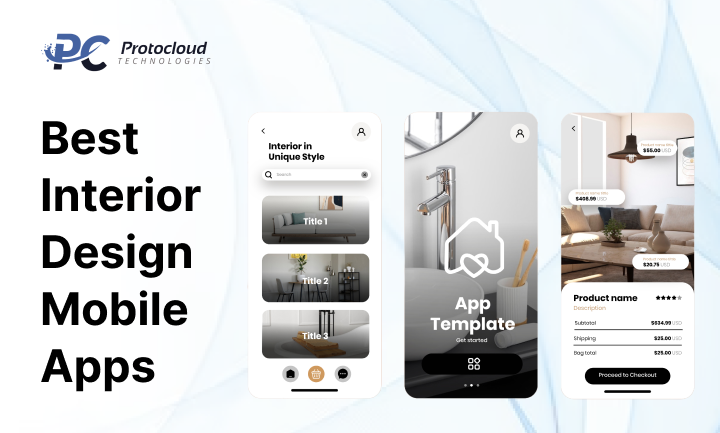
Mobile interior design mobile apps bring design power to your phone. These tools are perfect for quick ideas, on-the-go planning, and instant inspiration. They also support home renovation apps for small and large updates.
1. Planner 5D
Planner 5D is one of the most complete mobile interior design apps available. It includes over 5,000 items and supports high-quality rendering. Users can enhance designs with lighting, shadows, and textures.
Perfect for both beginners and advanced users.
Key Features: 3D imaging, rendering tools, drag-and-drop design, and data visualisation.
2. Houzz
Houzz combines inspiration with functionality. It offers millions of real home images. Users can save ideas, share designs, and connect with professionals. Houzz is both a design tool and a social platform.
It works well for interior decoration apps and idea discovery.
Key Features: Image search, ideabooks, 3D visualisation, social sharing.
3. Design Home
Design Home turns interior design into an interactive experience. Users participate in challenges and design real rooms using branded furniture. This helps improve creativity and decision-making skills.
It is ideal for users who want to learn design through practice.
Key Features: Design challenges, real-time feedback, 3D rendering.
4. IKEA Room Planner
IKEA Room Planner helps users design rooms using IKEA furniture. You can easily enter room dimensions and test layouts. This tool supports informed purchasing decisions.
It is one of the most practical house design apps for furniture planning.
Key Features: Drag-and-drop tools, 3D rendering, detailed catalogue.
5. Home Design 3D
Home Design 3D offers flexibility and control. Users can adjust wall height, thickness, and layout. The app supports offline work and cloud saving.
It works well as a virtual home design app for detailed planning.
Key Features: 2D and 3D plans, offline access, cloud storage, export options.
6. CAD Design 3D
CAD Design 3D focuses on precision and automation. It supports parametric modelling and real-time collaboration. Users can work offline and sync later.
This tool is suited to advanced users and teams.
Key Features: Smart automation, shareable models, 3D rendering.
7. Floor Plan Creator
Floor Plan Creator simplifies layout planning. It calculates room areas automatically and offers a 3D tour mode. This reduces manual work and errors.
It is a strong floor plan creator app for quick layouts.
Key Features: Measurement tools, 360-degree views, object library.
8. DecorMatters
DecorMatters uses AI and AR tools to improve design accuracy. Users get DIY tips, trend suggestions, and smart layout ideas.
It is ideal for modern, tech-driven home design.
Key Features: AI templates, AR visualisation, decor organiser, 3D rendering.
Why House Design Apps Matter Today
Designing a home is no longer limited to professionals with expensive tools. Today, house design apps, interior design apps, and advanced home design software have changed the way people plan and renovate spaces. These tools help users visualise ideas, test layouts, and make smart decisions before spending real money. From homeowners to professionals, everyone now relies on interior design tools to reduce risk and improve results.
Modern house design mobile apps and desktop platforms allow users to see their ideas in action. You can design rooms, test furniture placement, and explore colours with just a few taps. It helps save time while reducing expensive errors. As demand grows, the best house design apps continue to evolve with smarter features and better user experiences.
Top Benefits of House Design Mobile Apps and Software
The benefits of home design apps go far beyond visual appeal. These tools simplify planning and give users confidence. Below are the most important advantages.
1. Visualisation Made Simple
One of the biggest advantages of interior design software is visualisation. With modern 3D home design apps, users can see how their space will look before making any physical changes. You can try different furniture, colours, and layouts without risk. This instant preview helps users understand scale, spacing, and balance.
Using room visualisation apps, users get a clear reality check. Makes it easy to catch design issues in advance. This makes home renovation apps extremely useful for both small updates and full renovations.
2. Better and Cognizant Decision Making
Smart decisions come from clear visuals. Interior design apps let users create 2D and 3D floor plans that reflect real room dimensions. You can compare layouts, test lighting, and mix decor styles.
Because everything feels real, users make more confident choices. This reduces regret and redesign costs later. That is why interior design app benefits matter so much for homeowners and professionals alike.
3. Time and Cost Efficiency
Cost-effective home design apps save money by removing guesswork. Users experiment digitally rather than build physical samples. This cuts material waste and planning time.
Many free home design apps offer powerful features at zero cost. Even paid tools often cost less than hiring external consultants. This makes digital home design tools a smart investment.
4. Access to Extensive Libraries
Most home design software includes rich content libraries. These libraries contain furniture, decor, textures, and materials. Users can mix and match styles with ease.
This feature expands creativity. With home decor apps, users explore endless combinations. These libraries help bring ideas to life quickly and accurately.
5. Ideas and Creative Inspiration
Design blocks happen to everyone. Interior decoration apps solve this by offering inspiration galleries and design templates. Users can explore trending layouts and styles.
Many modern home design apps suggest ideas based on room type and size. This guidance helps users create unique and functional spaces.
How We Selected the Best Interior Design Apps, Tools, and Software
Choosing the best interior design apps requires research. Our selection process focused on real-world usability and value. We tested functionality, interface design, and feature depth.
We also reviewed pricing, platform compatibility, and learning support. The goal was to highlight the best house design software that works for beginners and professionals. These factors ensure trust, reliability, and long-term value.
For those looking to build interior design app solutions, working with experienced developers matters. A trusted home design app development company ensures quality, scalability, and strong brand value.
Key Factors to Consider Before Choosing Interior Design Apps
The market is full of room design apps and planners. Choosing the right one requires clarity. Below are the most important factors.
1. Pricing and Budget
Some interior design apps offer basic tools. Others require subscriptions. Always choose apps that match your budget and goals.
Paid interior design software pricing often reflects the advanced features and support it offers. Balance cost with value.
2. Compatibility Across Devices
Top online home design tools work across mobile, tablet, and desktop. Ensure the app supports your device.
Good desktop home design software suits detailed planning. Mobile interior design apps work well for quick ideas.
3. Features That Match Your Needs
Each app offers different house design features. Some focus on layouts. Others specialise in decor or furniture.
Check whether the app includes a room layout planner, rendering tools, and export options. These features improve workflow.
4. Learning Resources and Tutorials
Not all users are designers. The best apps offer tutorials and guides. This helps users learn faster.
Apps with strong learning support work well as home design tools for beginners.
Subscription Cost of Best Room Design Apps and Software
There is no fixed price for the best room planner apps. Costs vary based on features and usage. Free tools suit basic needs.
The premium room design app subscription cost depends on rendering quality, cloud storage, and collaboration tools. Always test free trials before paying.
Cost of Developing an Interior Design Mobile App or Software
The cost of interior design app development depends on many factors. These include app complexity, platforms, and features. Project duration also affects pricing.
Developer location matters. North American developers charge between $40 and $65 per hour. Latin America ranges from $30 to $50 per hour. South Asia offers the lowest rates, from $18 to $35.
This is why interior design app development in India is popular. Indian developers deliver quality solutions at competitive prices. This makes them ideal for home design app development projects.
Conclusion: The Growing Opportunity in Home Design Apps
Today, users rely on virtual home design apps to plan smarter. Demand for the best home renovation apps continues to grow. These tools help users visualise, plan, and invest wisely.
For entrepreneurs, home planning software offers strong revenue potential. Monetisation comes through subscriptions, ads, and partnerships. Even free home design apps earn through premium upgrades.
Whether you are a homeowner or a business builder, professional interior design software creates value. With the right tools, designing a dream home becomes easier and more profitable.