Ever thought about creating an app like Hulu and entering the fast-growing streaming industry? You are not alone. The demand for video streaming is rising every year. Platforms like Hulu have changed how people watch TV shows, movies, and live content. This shift has opened enormous opportunities for startups and businesses.
Hulu-like app development is not just about streaming videos. It is about building a smooth, secure, and personalized experience. Users expect fast loading, intelligent recommendations, and access across devices. To succeed, you need the right plan, features, and technology.
This streaming app development guide walks you through the entire journey. From planning to launch and scaling, every step is explained in simple terms. If you want to build a video streaming app that competes with big names, this guide is for you.
What Is the Hulu App and Why Is It So Popular?
Hulu is a leading on-demand video streaming app in the United States. It offers TV shows, movies, originals, and live TV under one platform. Users can choose ad-supported plans, ad-free subscriptions, or live TV bundles.
What makes Hulu special is its flexibility. Viewers can watch the latest episodes from major networks. They can also enjoy Hulu Originals and bundled services like Disney+ and ESPN+. This variety keeps users engaged.
The interface is clean and easy to use. Content recommendations feel personal. Hulu also supports multiple devices, including mobile phones, smart TVs, tablets, and web browsers. These elements together define strong OTT app features and set a benchmark for OTT platform development. Understanding how Hulu works helps you plan a better Hulu clone or a stronger Hulu alternative.
Step-by-Step Process to Create an App Like Hulu
Building a streaming platform is complex. But when broken into steps, it becomes manageable. Below is a proven approach to building an OTT app from scratch with confidence.
Step 1: Market Research and Niche Selection
Every successful video streaming business model starts with research. Study competitors like Hulu, Netflix, and Disney+. Look at what they do well and where they fall short. Understand viewer behavior. Some users love watching shows. Others prefer live sports or documentaries. These insights shape your content strategy.
Choosing a niche is critical. A focused niche helps your app stand out in a crowded market. Strong positioning improves retention and supports long-term scalability for streaming apps.
Step 2: Choose the Right Streaming App Monetization Model
Revenue planning is essential before development starts. Hulu uses multiple revenue models. You can do the same. Standard streaming app monetization models include:
- SVOD app development for monthly subscriptions
- AVOD app development using ads
- TVOD app development for pay-per-view content
Your choice impacts architecture, content delivery, and user experience. A clear monetization plan also helps accurately estimate Hulu app development costs.
Step 3: Finalize Core Video Streaming App Features
Strong video streaming app features keep users coming back. Your app should feel smooth, fast, and intuitive from day one. Essential OTT app features list includes:
- User registration and profile management
- Smart content recommendations
- Advanced search and filters
- Watchlists and offline viewing
- Secure payments and subscriptions
- Multi-device streaming support
For live content, add live streaming app development features. Notifications and parental controls also improve engagement and trust.
Step 4: Focus on Video Streaming App UI UX Design
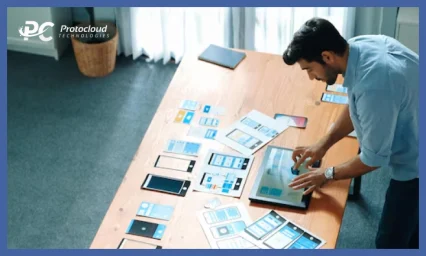
Design plays a huge role in success. The video streaming app’s excellent UI/UX feels effortless. Users should find content within seconds. Start with wireframes and prototypes. Keep onboarding short. Highlight content on the home screen. Navigation must stay simple.
Your app should adapt across devices. Mobile, smart TV, and web layouts must feel consistent. Frequent usability testing improves retention and lowers churn.
Step 5: Select the Best Hulu App Tech Stack
Your Hulu app tech stack defines performance and stability. Choose reliable technologies that scale well. Frontend options include React Native, Flutter, Swift, and Kotlin. For backend, Node.js and Django work well for streaming app backend development.
Cloud services like AWS support the needs of cloud-based streaming apps. Use HLS or MPEG-DASH for smooth playback. Add adaptive bitrate streaming to handle varying network speeds.
Security is non-negotiable. Implement DRM for video streaming apps, SSL encryption, and secure authentication.
Step 6: Start Development With an MVP Approach
A video streaming app MVP helps you launch faster. It includes core features without unnecessary complexity. Agile development allows faster iterations. Teams can test, improve, and adapt quickly. Whether you build in-house or hire a video app development company, clear milestones keep the project on track.
An MVP also validates your idea early. User feedback guides future updates and feature expansion.
Step 7: Manage Video Content Licensing Carefully
Content is the heart of every streaming platform. Without proper rights, growth stops instantly.
Decide whether to license content, create originals, or support user uploads. A strong video content licensing platform ensures legal safety.
Clear contracts protect your brand. They also improve trust with creators and partners. Content quality directly impacts engagement and revenue.
Step 8: Streaming App Testing and Quality Assurance
Testing ensures reliability. Users expect flawless performance every time they press play.
Focus on:
- Video buffering and load times
- Payment and subscription flows
- Cross-device compatibility
- Security and data protection
Vigorous streaming app testing and QA reduces crashes and bad reviews. It also supports secure video streaming app standards.
Step 9: App Launch Strategy for Streaming Apps
Launching your app requires planning. Prepare store listings, screenshots, and descriptions. Release on mobile, web, and smart TV app development platforms. Offer free trials to attract early users. Use social media, influencers, and teasers to build buzz. A brilliant app launch strategy for streaming apps boosts downloads and visibility.
Step 10: Post-Launch Support and Continuous Improvement
Launch is just the beginning. Regular updates keep users engaged. Use a streaming app analytics dashboard to track behavior. Improve recommendations using data insights. Fix bugs quickly.
Ongoing post-launch support for OTT apps improves trust and retention. It also prepares your platform for growth and new features.
Must-Have Features to Include in an App Like Hulu
If you want to create an app like Hulu, the right features decide success. The streaming market is crowded. Users switch apps fast. If your app, like Hulu, feels slow, confusing, or basic, people leave.
A strong Hulu-like app focuses on users first. It should be fast, simple, and reliable. It must also support growth and monetization. Below are the most essential video streaming app features you need for successful video streaming app development and OTT app development.
Core Features Every Hulu-Like App Needs
1. User Registration and Profiles
Every on-demand video streaming app needs an easy sign-up. Users should register using email, phone numbers, or social accounts. This reduces effort and improves conversions. A Hulu clone app should also support multiple profiles per account. Families can enjoy personalized content. Each profile saves watch history and preferences. These user profiles in streaming app experiences increase engagement and retention.
2. Smart Content Recommendations
When you build a video streaming app, personalization is key. Users want content suggestions that match their taste. By using AI-based content recommendations, your video streaming platform development becomes smarter. The system studies watch history and trends. These intelligent content recommendations help users find new shows easily and keep them coming back.
3. Multi-Device Syncing
A modern OTT platform must work on every screen. Users often switch between TV, mobile, and tablets. Your multi-device streaming app should sync watch progress and preferences instantly. This makes the experience smooth across mobile video streaming apps, smart TV streaming apps, and web platforms.
4. Offline Video Downloads
Offline viewing is a must-have today. Many users travel or face poor internet connections. The offline video downloads feature allows uninterrupted viewing. When you create an app like Hulu, this feature adds substantial value and improves user satisfaction.
5. Advanced Search and Filters
Finding content should be quick and straightforward. Strong advanced search filters and streaming app features help users explore easily. Filters like genre, language, year, and cast improve discovery. This also enhances the video streaming app’s UI/UX and reduces frustration.
6. Secure Payment Integration
Monetization keeps your app running. A subscription-based video app needs safe and flexible payment options. Proper secure payment integration for a streaming app supports cards, wallets, and UPI. This builds trust and supports streaming app monetization across regions. It also strengthens your video streaming business model.
7. Push Notifications
Push notifications for OTT apps help keep users active. You can share alerts for new releases, reminders, and offers. When notifications are relevant, they increase return visits. Avoid overuse to keep users happy.
8. In-App Chat and Support
Support builds trust. A built-in in-app support chat helps users solve issues quickly. Strong customer support in a streaming app improves reviews and retention. It also supports scalable OTT app development as your user base grows.
Best Video Streaming Apps Like Hulu
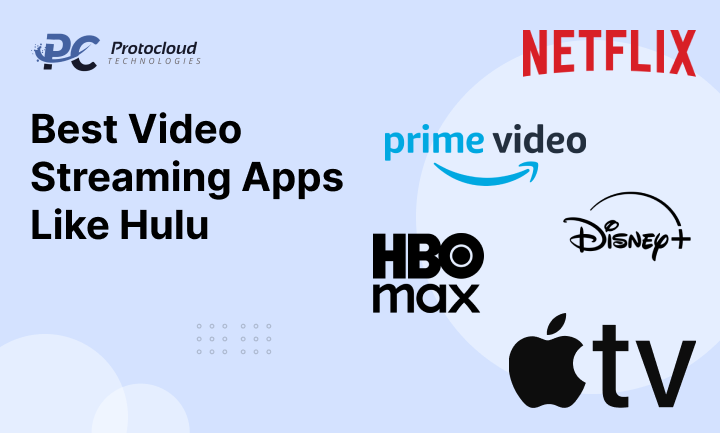
Several platforms offer excellent examples of success. These best video streaming apps, like Hulu, show how features and content work together.
Netflix
A leader in Netflix-like app development, Netflix excels in personalization and originals. It sets global standards.
Amazon Prime Video
A strong Amazon Prime Video alternative, offering movies, originals, and add-on channels with Prime benefits.
Disney+
A popular Disney+ app, known for family-friendly content and a simple design.
HBO Max
A premium HBO Max alternative app with blockbuster movies and exclusive series.
Apple TV
A polished Apple TV-like app focused on high-quality original content.
These are the best OTT apps among the top video streaming platforms.
How the Hulu App Works: A Simple Behind-the-Scenes Breakdown
To create an app like Hulu, you must first understand how the Hulu app works behind the scenes. From the outside, Hulu looks simple. You open the app, pick a show, and start watching.
But in reality, a Hulu-like app runs on a robust system that manages content, users, data, ads, and payments at scale.
Hulu serves millions of users daily across mobiles, smart TVs, tablets, and web browsers. This is possible because of a robust video streaming app architecture built on cloud technology, automation, and data.
If your goal is to develop the Hulu app, this section explains the entire development process in an easy-to-understand way.
Content Acquisition and Licensing
Hulu works as a content aggregation platform. It does not create all content on its own.
Hulu partners with:
- TV networks
- Production houses
- Movie studios
- Live TV providers
These partnerships enable Hulu to license video content legally. This includes movies, TV shows, documentaries, and live channels. This step is critical for anyone planning to build a video streaming app. Without proper video content licensing platforms, your app may face legal risks.
Once licensed, the content is added to Hulu’s system for processing and storage.
Content Management and Cloud Storage
After licensing, content moves to Hulu’s backend. Here, Hulu uses a powerful video streaming app CMS. The CMS helps Hulu:
- Categorize content
- Add tags and metadata
- Compress video files
- Convert videos into multiple formats
This allows smooth playback on:
- Mobile video streaming apps
- Smart TV streaming apps
- Web-based streaming platforms
All content is stored on a cloud-based streaming app architecture. Cloud servers help Hulu scale quickly during peak traffic. This cloud-based setup is a core part of OTT platform architecture.
Adaptive Bitrate Streaming for Smooth Playback
One reason Hulu feels fast is adaptive bitrate streaming. Hulu uses technologies like:
- HLS streaming technology
- MPEG-DASH streaming
These tools adjust video quality in real time. If the internet speed drops, the video quality lowers automatically. If speed improves, quality increases again. This reduces buffering and keeps viewers watching longer. It also improves retention in competitive markets for video streaming app development. Any Hulu clone app must include adaptive streaming to match user expectations.
User Accounts, Profiles, and Syncing
Hulu allows users to create accounts and profiles. Each profile stores viewing history and preferences.
This supports:
- Personalized recommendations
- Watch progress tracking
- Parental controls
Hulu also supports multi-device streaming apps. Users can start watching on a smart TV and finish on their phone. This feature depends on:
- Strong user authentication in OTT apps
- Secure cloud syncing
- Real-time data updates
Multi-device sync is now a must-have for any app like Hulu.
AI-Based Personalization and Recommendations
One of Hulu’s biggest strengths is personalization. AI-based content recommendations power this.
Hulu tracks:
- What users watch
- How long do they watch
- What they skip
- What they search for
By using machine learning in its streaming apps, Hulu suggests content users are likely to enjoy. This keeps users engaged and increases session time. For anyone planning to create an app like Hulu, personalization is not optional. A strong user personalization engine directly impacts retention and revenue.
Security, DRM, and User Protection
Hulu protects its content and users with strong security systems. These include:
- DRM for video streaming apps
- Encrypted video delivery
- Secure login systems
- Token-based authentication
DRM prevents piracy and illegal downloads. It also protects studio partnerships and revenue. Hulu also manages:
- Secure payments
- Subscription access
- User data protection
Security is a core part of the design of a secure video streaming app.
How Hulu Makes Money: Monetization Models
Now, let’s understand Hulu app monetization. Hulu uses a hybrid video streaming business model. This allows flexibility for different user segments.
1. Subscription Model (SVOD)
Hulu earns significant revenue through SVOD app development. Users pay monthly or yearly fees for premium access. This model supports stable, recurring income.
Hulu offers:
- Basic plans with ads
- Ad-free plans
- Premium plans with live TV
This tier-based pricing helps Hulu target more users. SVOD is a proven strategy for subscription-based video apps.
2. Advertisement-Supported Model (AVOD)
Hulu is a leader in AVOD app development. Users watch content with ads at a lower cost.
Ads appear:
- Before videos
- During playback
- Between episodes
Hulu uses dynamic ad insertion. Ads are shown based on user behavior and demographics. This boosts advertiser value and platform revenue. AVOD works well for price-sensitive users.
3. Freemium Streaming Model
The freemium video streaming app model reduces entry barriers. Users can explore limited content for free. Free trials help users:
- Trust the platform
- Explore content quality
- Upgrade with confidence
This model increases conversion rates over time. Many Hulu alternatives use freemium models.
4. Transactional Video on Demand (TVOD)
TVOD allows users to pay per content item. This includes:
- Live sports
- Special events
- New movie releases
Users pay once to rent or buy content. TVOD adds extra income alongside subscriptions. This model supports pay-per-view streaming apps.
5. Affiliate Marketing and Cross-Promotions
Hulu also earns through partnerships. This includes promotions for:
- Other streaming services
- Brands and products
- Merchandise
Affiliate links create passive income streams. This strategy works well in OTT app revenue models.
6. Ethical Data Monetization
Hulu uses anonymized data for ad targeting. This improves ad relevance and performance. Data is handled carefully with user consent. Ethical data use builds long-term trust. Data-driven ads improve ROI for advertisers. This strengthens Hulu’s streaming app advertising model.
What Does It Cost to Create an App Like Hulu?
If you plan to create an app like Hulu, cost is one of the first things to understand. Once you know how the Hulu app works and its workflow, estimating the budget becomes easier. Still, building a Hulu-like app is not cheap. A video streaming platform needs strong technology, secure systems, and smooth performance across devices.
The truth is simple. The more features you add, the higher the cost to develop an app like Hulu. Advanced design, custom UI, admin panels, and user dashboards all increase effort. If you plan separate apps for users and admins, the cost of the video streaming app will rise further. This is common in professional OTT app development projects.
In most cases, the Hulu clone app development cost falls between $10,000 and $25,000. The final price depends on features, app complexity, and development time. This range fits many startups and mid-level businesses looking to build a reliable app like Hulu.
Hulu Clone App Development Cost Breakdown
The cost to develop an app like Hulu depends on app complexity. Here’s an easy way to understand and plan better.
Simple Hulu-like App: $10,000 – $14,000
- Basic streaming features. Limited personalization. Single platform support.
- Medium Hulu-like App: $15,000 – $21,000
- Better UI, user profiles, and basic analytics. Supports mobile and web platforms.
- Complex Hulu-like App: $25,000+
- Advanced features. AI-based recommendations. Live streaming and multi-device support.
This pricing reflects real-world OTT app development cost trends. Most businesses start small and scale later.
Formula to Calculate Hulu App Development Cost
You can estimate your budget using a simple formula:
Total Hulu App Development Cost = Developer’s Hourly Rate × Development Time
This formula works for any video streaming app development project. Longer development time means higher cost. Complex features like adaptive bitrate streaming, HLS, and MPEG DASH also add to the budget.
Once you understand the cost to develop an app like Hulu, the next step is choosing the right OTT app development company.
Top Challenges in Building an App Like Hulu
Building a Hulu clone app comes with real challenges. These issues affect performance, security, and user experience. Let’s look at the most important ones.
Content Licensing and Compliance
Content is the heart of any on-demand video streaming app. Getting rights from studios and networks is expensive and complex. A strong video content licensing platform is essential to stay compliant and avoid legal risks.
Scalable OTT Platform Architecture
Your app must handle thousands of users at once. This needs a solid OTT platform and video streaming app architectures. A cloud-based streaming app helps manage traffic during peak hours, reducing downtime.
Cross-Platform Compatibility
A successful Hulu alternative app must work everywhere. This includes mobile and smart TV video streaming apps, as well as support for web-based streaming platforms. Cross-platform testing takes time and expertise.
Personalization and Recommendations
Users expect innovative suggestions. A strong user personalization engine, powered by AI-based content recommendations and machine learning, in streaming apps boosts retention. This feature increases both cost and complexity.
Security and Privacy
Security cannot be ignored. A secure video streaming app needs DRM, secure APIs, and encryption. You also require user authentication in OTT apps, a robust subscription management system, and a reliable billing system with secure payment integration.
Overcoming these OTT app challenges requires experience, planning, and technical skill.
How Protocloud Simplifies Video Streaming App Development
Protocloud makes Hulu app development stress-free and straightforward. As a trusted video streaming app Development Company, Protocloud builds scalable and secure OTT platforms.
Their team focuses on performance, design, and growth. They handle streaming app backend development, video streaming app CMS, and streaming app scalability with ease. From multi-device streaming app support to smooth payments, everything works together.
Protocloud also supports Hulu and other video streaming app monetization strategies. This includes SVOD, AVOD, TVOD, and freemium video streaming app development. Brands can also earn through programmatic ads in OTT, dynamic ad insertion, affiliate marketing in OTT apps, and data monetization in streaming apps.
Final Wrap-Up
Building an app like Hulu is more than streaming videos. It is about delivering a smooth, secure, and personalized experience. Strong architecture, intelligent recommendations, and reliable payments matter.
Understanding the cost to develop an app like Hulu, the associated challenges, and the business model provides clarity. With the right plan and expert support, your Hulu-like app can grow fast and scale smoothly.
Demand for OTT platforms keeps rising. Start simple. Improve step by step. Focus on value. That is how successful Netflix-like app development and Disney+ Plus-like app development projects win in the long run.