Introduction
My friend Arjun, a logistics manager with zero coding background, built a working internal tool for his team last year. It tracked shipment delays, flagged overdue orders, and sent email alerts. His IT department quoted him three months and ₹2 lakhs to build it. He did it on a weekend using Claude Code.
He didn’t write much code himself. But he knew his problem was cold. And that made all the difference.
That’s the real story behind AI app development in 2026. The bottleneck was never talent, it was clarity. And if you have a clear problem you want to solve, you’re already most of the way there.
What Claude Code Actually Is (And What It Isn’t)
Before the steps, let’s get this straight.
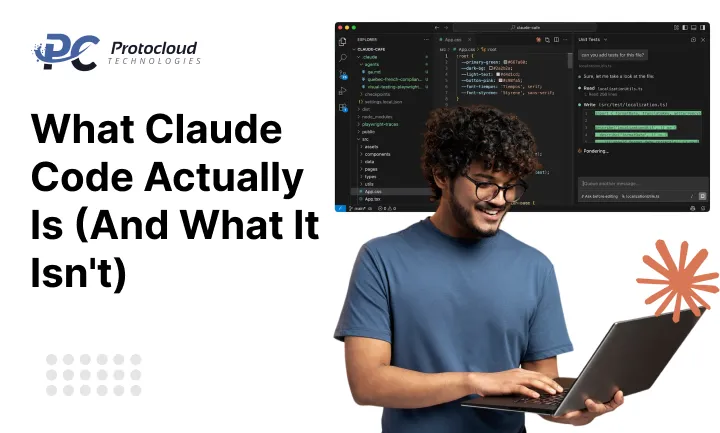
Claude Code is not a magic button. It’s a Claude AI coding assistant that writes, edits, debugs, and explains code through conversation. You describe what you want. It builds it, piece by piece, and explains what it’s doing along the way.
What makes it different from other AI coding tools for app development is the back-and-forth. You’re not just generating code, you’re having a working session with something that can push back, suggest better approaches, and catch problems before they become headaches.
Think of it less like a vending machine and more like a sharp junior developer who never gets tired of your questions.
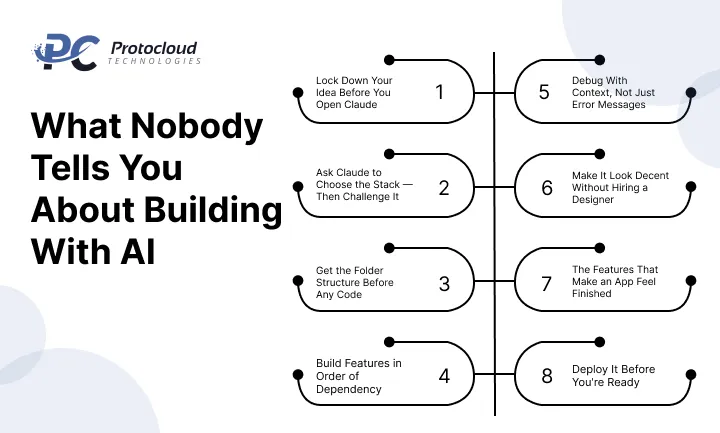
Step 1: Lock Down Your Idea Before You Open Claude
Here’s advice you won’t find in most tutorials: don’t open Claude Code until your idea fits in one sentence.
Not “I want to build an app with Claude Code that does something with fitness.” Something tighter “I want a daily workout logger where I can track sets, reps, and weight for each exercise, with a weekly progress summary.”
That sentence does three things: it defines the user (you), the action (log workouts), and the output (weekly progress). When your idea is that clear, Claude can generate something genuinely useful on the first try instead of producing a generic template you’ll throw away.
If you can’t write that sentence yet, spend 20 minutes on paper before touching the keyboard.
Step 2: Ask Claude to Choose the Stack — Then Challenge It
Most AI software development tools tutorials tell you to pick React, Node, and some databases, as if the stack choice doesn’t matter. It is especially for beginners.
Ask Claude: “What’s the leanest stack to build [your one-sentence idea] that a non-developer can maintain?”
Pay attention to the word “maintain.” Claude’s answer when you include that word will be different simpler, more practical. It might suggest plain HTML, CSS, and JavaScript with a lightweight backend instead of a full React setup. For many first apps, that’s the right call.
Once it gives you a recommendation, push back once: “Is there a simpler option I could deploy without managing a server?” You’ll often get a better answer the second time.
Step 3: Get the Folder Structure Before Any Code
This step is where most self-taught builders skip ahead and regret it later.
Ask Claude: “Give me a clean project structure for this app and explain what each folder is for.”
You’ll get something like:
/my-app
/frontend → what users see
/backend → the logic behind it
/database → where data lives
README.md → notes for future you
Read the explanation. Understand it. This is the skeleton your entire app will hang on. A bad structure early on doesn’t just slow you down, it creates technical debt that turns a small project into a frustrating one three weeks later.
Step 4: Build Features in Order of Dependency
This is how real Claude Code app development works in practice and it’s different from how tutorials describe it.
Features depend on each other. You can’t build a dashboard before users can log in. You can’t display saved data before you have a way to save it. So build in this sequence:
- User authentication (login/signup)
- Core data input (whatever your app captures)
- Data storage (connecting to a database)
- Data display (the dashboard, the list, the chart)
- Edge case handling (errors, empty states, validation)
For each feature, give Claude one clear task. “Write a login form with email and password validation on third-party libraries.” Test it before moving forward. Breaking this rule is how you end up with a half-built app where nothing connects to anything.
Step 5: Debug With Context, Not Just Error Messages
Every first-time builder does the same thing when an error appears. They paste the error message and ask “why is this broken?”
That works, but here’s a better habit: paste the error and the function it’s coming from, and tell Claude what you expected to happen. “This function is supposed to save form data to the database. Instead, I’m getting this error. Here’s the code:”
Context speeds everything up. Claude will give you a targeted fix instead of a general explanation. More importantly, it’ll explain why the error happened which means you’ll recognize that pattern the next time.
AI-generated code tools are most valuable here. Not because they write perfect code, but because they help you understand imperfect code.
Step 6: Make It Look Decent Without Hiring a Designer
Here’s a realistic approach for non-designers: don’t try to make it beautiful. Make it clear.
Ask Claude: “Clean up the layout so nothing looks broken — consistent spacing, readable fonts, sensible colors.”
That’s an achievable brief. “Make it beautiful” isn’t. The goal at this stage is removing visual noise, not winning a design award. Once the app works, you can layer in better aesthetics. Trying to do both at once usually means you do neither well.
Step 7: The Features That Make an App Feel Finished
There’s a specific set of things that separate a demo from something a real person would use daily:
- Form validation that catches mistakes before submission
- Loading indicators so users know something is happening
- Empty states (what shows when there’s no data yet?)
- Confirmation messages after successful actions
- Basic error messages that don’t just say “something went wrong”
None of these are glamorous. All of them matter. Ask Claude to add them one by one after your core features work. This is the finishing pass and it’s what most first-time builders skip because they’re excited to deploy.
Step 8: Deploy It Before You’re Ready
Here’s the counterintuitive part: deploy before the app feels finished.
An app on your laptop is a prototype. An app with a live URL is a product even if it’s rough. The moment it’s live, you’ll see it differently, use it differently, and notice problems that were invisible locally.
Ask Claude: “Walk me through deploying this on Vercel [or Netlify, or Railway] step by step. Assume I’ve never done this before.”
Follow the steps exactly. Don’t improvise. Deployment is one area where going off-script causes cascading problems that are harder to debug than code errors.
Once it’s live, that’s your real milestone.
What Nobody Tells You About Building With AI
Build app using AI tutorials focus on the tool. They rarely talk about the mindset.
The creators who get the most out of Claude Code aren’t the ones who type the cleverest prompts. They’re the ones who have a clear picture of what they’re building and why and they treat Claude like a collaborator, not an oracle.
When something doesn’t work, they don’t get frustrated and ask Claude to “just fix it.” They explain what they expected, what happened instead, and what they’ve already tried. That conversation quality is what separates apps that get finished from apps that live in a folder called “Projects/Abandoned.”
AI coding tools for app development are powerful. But the person using them still has to do the thinking.
The Three Mistakes That Kill First Projects
Before you start, memorize these:
Vague prompts produce vague code. Specificity is your most important skill, not technical knowledge.
Building in bulk instead of layers. Ask for one feature at a time. Test it. Then move forward. Skipping this creates a tangled mess you can’t debug.
Treating errors as failures. Every error is a prompt waiting to happen. The builders who finish projects are the ones who stay curious about what went wrong instead of panicking.
You’re Ready
Building an app with Claude Code in 2026 is genuinely accessible to non-developers but it’s not passive. You have to bring the problem, the patience, and the judgment. Claude brings the code.
Start with one feature. Get it working. Add another. Deploy early, iterate often, and resist the urge to build everything at once.
Arjun’s shipment tracker started as a simple table with three columns. Now his whole team uses it every morning.
That’s how it starts for almost everyone.
FAQ
Do I need coding experience to build an app with Claude Code?
Not necessarily. You need enough understanding to test what Claude builds and catch when something doesn’t work. That’s learnable in a few days and Claude itself will teach you as you go.
How is Claude Code different from GitHub Copilot for app development?
Copilot is optimized for developers writing code line by line. Claude Code handles larger conversations, full features, architecture decisions, debugging with context. For beginners building complete apps, Claude’s approach tends to be more useful.
Can I build a web app with AI without writing any code at all?
Mostly, yes especially for simple apps. You’ll still need to understand what the code is doing well enough to test it and describe problems accurately. Think of it as project managing the code rather than writing it yourself.
What’s the most common reason first apps don’t get finished?
Scope. People start wanting to build too much, hit complexity, and stall. Pick the smallest version of your idea that would still be useful, and build that first.